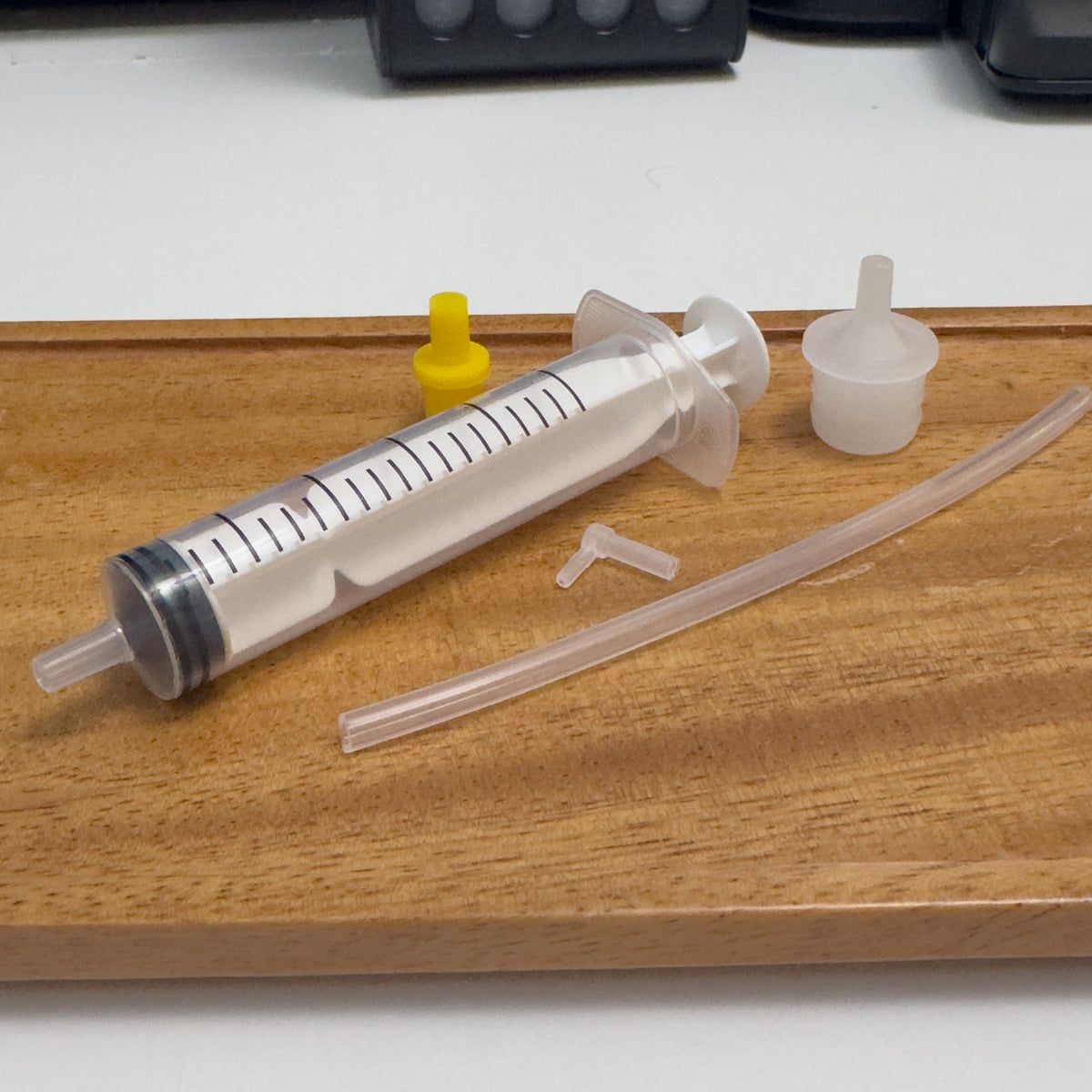
Canon Edible Printer Printhead Cleaning Kit
Canon Edible Printer Printhead Cleaning Kit
Nem sikerült betölteni az átvehetőségi adatokat
Canon Edible Printer Printhead Cleaning Kit – Instructions
Use this kit when a normal printer cleaning cycle has not resolved missing colours, broken lines, banding or a suspected blocked printhead.
Before you begin: Switch the printer off and unplug it. Protect your work surface with kitchen roll or an absorbent cloth. We recommend wearing gloves, as edible ink can stain.
- Remove the cartridges. Open the printer and carefully remove all edible ink cartridges. Place them upright somewhere safe while you clean the printhead.
- Remove the printhead. Carefully release and lift the removable Canon printhead from the printer. Avoid touching the electrical contacts or the nozzle plate underneath.
- Prepare the syringe. Draw a small amount of printhead cleaning solution into the syringe and securely attach the flexible cleaning tube or suitable adapter.
- Connect to the affected colour. Locate the ink inlet for the colour that is not printing correctly. Gently fit the cleaning tube over the corresponding inlet so that it forms a seal.
- Flush the printhead slowly. Very gently press the syringe plunger to pass cleaning solution through the ink channel. Do not force the syringe. Allow the solution time to work through the printhead.
- Watch for the cleaning solution underneath. Place the printhead on or above clean absorbent paper while flushing. Continue gently until the liquid passing through begins to run more freely and looks clean.
- Repeat if necessary. If more than one colour is affected, clean each ink channel individually. Use fresh cleaning solution as required and avoid transferring ink from one colour channel into another.
- Blot away excess liquid. Once cleaning is complete, gently blot excess cleaning solution from around the printhead. Do not rub or scrape the nozzle plate.
- Allow the printhead to dry completely. Leave it somewhere clean and safe until there is no visible moisture remaining. Do not reinstall a wet printhead.
- Reinstall the printhead and cartridges. Return the dry printhead to the printer, lock it securely into position and reinstall your edible ink cartridges.
- Run a nozzle check. Switch the printer back on and perform a nozzle check. If required, run one normal cleaning cycle and check again.
Important
Always apply cleaning solution slowly and gently. Excess pressure can damage the fine internal channels of the printhead.
Only use cleaning fluid suitable for your printer and edible-printing setup. Never use a printer for edible printing if it has previously contained standard non-edible ink.
A severely damaged or electrically failed printhead cannot be repaired with cleaning solution — this kit is intended to help with dried or restricted ink flow and blocked nozzles.
Share